

Home Blog Page 53

Brit Kitsch Or Quite The Catch. A Quirky Guide To British Gifts.

0

Are you on a quest for a gift that’s more British than a bulldog eating a crumpet in a double-decker bus? Look no further! Whether you’re shopping for an anglophile, a homesick Brit, or simply a lover of all things quirky and unique, we’ve scoured the green pastures of the United Kingdom for the finest, most delightful and quintessentially British gifts. From the luxurious to the downright delicious, these treats are sure to bring a smile, a chuckle, or even a jolly good belly laugh. So, pull on your wellies, adjust your bowler hat, and come along on this whimsical journey of British gift-giving!

By the way, at guzz.co.uk, what you see is not all there is. We have a team of diligent guzzers you can commission as your personal shoppers from anywhere in the world — Australia, New Zealand, Canada, United States, the Middle East, Europe, and Asia. We know most brands now have online shoppes, but some times, it is best to have boots on the ground for hard to find items or those requiring more special negotiating and handling. Logistics logistics logistics.

And for those really really special shoppes you know that only cater of actual visits, like that corner rare books shoppe at your fave high street or a hard to find kit bag to be filled with special items for your summer getaway, our guzzers are your personal shopper and steward.

1. A Cuppa Fit for a Queen. Elevate tea time with luxury teas from iconic British companies like Fortnum & Mason, purveyors of fine teas to the British royal family, or Twinings, renowned for their classic Earl Grey.

2. The Sweetest Taboo. Satisfy sweet tooths with shortbread from Walkers – a family-owned Scottish bakery famous for their delicious buttery biscuits. You could also opt for Cadbury chocolates or sticky and sweet traditional English toffees from Thornton’s.

3. Say Cheese, Darling! UK’s array of cheeses are second to none. Consider a wheel of creamy Stilton from Cropwell Bishop Creamery, a block of rich Cheddar from the Cheddar Gorge Cheese Company, or a selection box from Neal’s Yard Dairy in London.

4. A Tipple or Two. For those partial to a spirit, gift a bottle of Tanqueray or Bombay Sapphire gin, or a peaty single malt from a Scottish distillery like Talisker or Ardbeg.

5. Luxury à la Britannia. For a truly special gift, look to British luxury brands like a classic Burberry trench coat, a timeless Mulberry Bayswater handbag, or a cosy Barbour wax jacket for those brisk English country walks or that mountain trek elsewhere across the globe.


6. Best of British Craftsmanship. Explore the handcrafted beauty of Church’s shoes, renowned for their meticulous craftsmanship, or Waterford Crystal, known for their exquisite glasswork.

The Traveller – Colour – Oxblood

7. Lit in Britain. Delve into the rich tapestry of British literature. A vintage edition of a Jane Austen novel or a collector’s edition of Harry Potter by British author J.K. Rowling could be the ticket.

8. English Garden In A Box. Captivate the green thumbs with seeds or plants of traditional English flowers like roses or lavender, or perhaps strawberry seeds for a summertime treat!

9. Bringing Britain Home. Choose homeware items featuring iconic British designs, like a Emma Bridgewater’s Polka Dot range or a charming cushion featuring a hand-stitched London skyline.

10. Britain At Your Doorstep. Keep up with British affairs with a subscription to ‘The Times’ or delight in the eclectic articles of ‘The Economist’.

11. A Taste of Britain Hamper. Gift a curated hamper brimming with British goodies – Yorkshire Tea, McVitie’s Digestives, Branston Pickle, HP Sauce, and perhaps a mini bottle of Pimm’s for a truly British experience!

Remember, when it comes to gifting, it’s the thought and the element of surprise that truly counts. These suggestions are just a starting point – the best gift is always one that is thoughtfully chosen with the recipient’s tastes in mind!


At guzz, our mission is the celebration of human creativity, ingenuity, and expression in arts, crafts, and products. Our inspiration is the human spirit.


For partnerships, product placements, sponsorships, investments, and collaborations, you may reach us at [email protected] for further communications.

To You, Out There

0

To you, great wanderers of our world
Not quite here, yet not quite there
Your past keeps with you, its hold
Your future beckons you to God knows where

To you, architects & builders of our time
Not quite old, yet not quite new
Your sentimentality hones your rhyme
Your vision separates you among with the few

To you, artists & sirens of our hearts
Not quite in melody, yet not quite in trance
Your symbols of beauty revives our art
Your music renews the joy in our dance

To you, students & stewards of our minds
Not quite in the dark, yet not quite wise
Your innocence will keep you curious & kind
Your grasp moves us forward as we rise

To you, doctors & nurses of our bodies
Not quite impersonal, yet not quite immersed
Your ferocity of intellect heals maladies
Your tireless care cures the accursed

To you, ministers and torches for our souls
Not quite of the world, yet not quite heavenly
Your teachings sheds light to what runs foul
Your model, an exemplar of the good we hope to be

To you, growers & farmers of our lands
Not quite on dirt, yet not quite separate
Your strength tills the soil with your hands
Your nature feeds the dreams we create

To you, sailors & captains of our air & seas
Not quite steady, yet not quite wobbly
Your compass of stars commands the breeze
Your fortitude we admire so gladly

To you, cooks & servers of our cuisine
Not quite traditional, yet not quite bizarre
Your genius both known & remains to be seen
Your energy needed long after every meal

To you, bankers & financiers of our enterprise
Not quite invested, yet not quite sloppy
Your rigor keeps in order whatever we organize
Your faith break the rules of possibility

To you, workers & makers of our goods
Not quite robotic, yet not quite reflexive
Your focus lights up our devices & our neighborhoods
Your grind keeps us on point towards our objectives

And to you, readers, consumers, & critics of our calling
Not quite caring, yet not quite aloof
Your patronage keeps us, them, and all this going
Your respect, to our craft and mission, proof

Beyond The AI Rabbit Hole. Machines Mimicking. Learning. Outsmarting. 

0

AI is a broad field that encompasses many different areas of study and application.

1. Machine learning. Machine learning is a subset of AI that involves training machines to learn from data without being explicitly programmed. Machine learning is used in a wide range of applications, from natural language processing and computer vision to fraud detection and predictive analytics.

2. Natural Language Processing (NLP). NLP is a field of AI that focuses on the interaction between humans and computers using natural language. NLP is used in applications such as virtual assistants, chatbots, and language translation software.

Robotics
Robotics

3. Robotics. Robotics is the branch of engineering and AI that deals with the design, construction, and operation of robots. Robots can be used in a variety of applications, from manufacturing and logistics to healthcare and space exploration.

4. Computer Vision. Computer vision is an area of AI that focuses on enabling machines to interpret and understand visual information from the world around them. Computer vision is used in applications such as facial recognition, object recognition, and self-driving cars.

Health | Scan
Health | Scan

5. Expert Systems. Expert systems are AI programs that are designed to mimic the decision-making ability of a human expert in a particular field. Expert systems are used in applications such as medical diagnosis and financial planning.

6. Cognitive Computing: Cognitive computing is a field of AI that focuses on creating machines that can think, reason, and learn like humans. Cognitive computing is used in applications such as personalised healthcare and fraud detection.

These are just a few of the many areas of AI study and use. As AI continues to evolve and mature, it is likely that new applications and areas of study will emerge.

British Ingenuity. The Best Of Blighty’s Brainwaves.

0

Ladies and gentlemen, boys and girls, gather around! Allow us to whisk you away on a fantastical flight through the annals of innovation, soaring over the rolling hills and winding streams of the British Isles. Prepare to marvel at a cavalcade of ingenious contrivances, extraordinary concepts, and life-altering breakthroughs that have left an indelible stamp on the parchment of humanity’s progress.

From the hypnotic chug of the steam engine that ushered in an industrial revolution, to the electrifying jolt of the World Wide Web which shrunk our vast world into a global village, British innovation has woven itself into the very fabric of our lives.

Gasp in awe at the transformative power of the telephone, courtesy of Mr. Bell’s brilliance. Sink into your couch and let the wizardry of John Logie Baird’s television engulf your senses. Buckle up as we rev up Sir Frank Whittle’s turbojet engine, zipping across the world faster than you can say ‘fish and chips’!

Delve into the microscopic world with Alexander Fleming, discovering Penicillin, the superhero of antibiotics that has been banishing bacteria since 1928. Unravel the secret to life with the dynamic duo, Crick and Watson, as they decode the DNA double helix. Choo choo along with George Stephenson’s revolutionary railways, paving the way for comfy commutes.

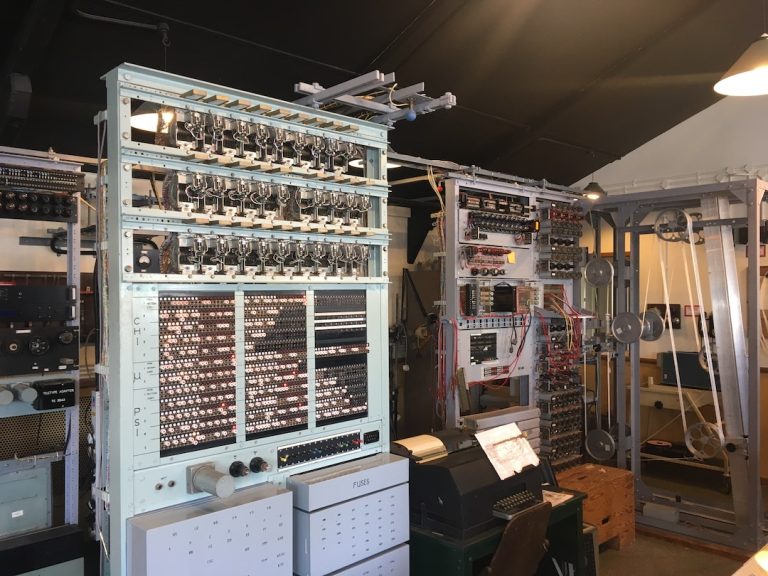
Witness the birth of the digital age, thanks to the abstract musings of Alan Turing. And, stand in awe of the mighty force that was the Industrial Revolution, forever cementing the UK’s place at the helm of the world stage.

Fasten your seatbelts for this thrilling rollercoaster ride through the history of British innovation. We guarantee you’ll disembark with a new-found appreciation for the breathtaking brilliance of Blighty. Let the journey begin!

People | Illustration

1. The Steam Engine. “Full steam ahead!” cried James Watt in 1765, as he improved the steam engine to such an extent that it kicked off the biggest party of the 18th century, the Industrial Revolution. Puffing steam engines became the heartthrob of the era, powering everything from factories to railways.

2. The World Wide Web. Picture this: it’s 1989, hair is big, shoulder pads are bigger, and a British scientist named Sir Tim Berners-Lee invents something bigger than both – the World Wide Web. No more sending messages by pigeon or fax machine, now you could ‘instant message’ someone in real-time, without having to decipher their handwriting.

3. Telephone. While there’s a bit of a brawl over who gets the patent for the telephone, Alexander Graham Bell, born under the bonnie banks of Scotland, was the first to ring the patent office in 1876. Suddenly, conversations weren’t limited by how loud you could shout.

4. Television. Talk about a visionary! Scottish inventor John Logie Baird turned science fiction into reality in 1926, when he demonstrated the world’s first working television. He took ‘home entertainment’ to a whole new level, and you didn’t even need to put on your fancy pants.

5. Jet Engine. If you’ve ever thought, “I fancy nipping over to France for lunch,” you have Sir Frank Whittle to thank. This English aviation engineer gave birth to the turbojet engine in the 1930s, transforming air travel from a week-long ordeal to a jaunty joyride.

6. Penicillin. Alexander Fleming, not to be confused with Ian Fleming, although equally heroic, was puttering around his lab in 1928 when he discovered the world’s first antibiotic, Penicillin. A life-saver in the truest sense, it’s like a superhero in a petri dish!

7. DNA Structure. In 1953, Francis Crick and James Watson, while in Cambridge, unwound the secret to life itself – the double helix structure of DNA. “It’s elementary, my dear Watson,” Crick didn’t say, but we like to think he did.

8. Railways. “All aboard!” echoed George Stephenson as he unveiled the world’s first public inter-city railway line powered by steam locomotives. Suddenly, the prospect of visiting Aunt Mabel in the next town didn’t require three days of arduous horse riding.

9. Industrial Revolution. If the 18th century were a music festival, the Industrial Revolution would have been the headline act. As the birthplace of the era that transformed everything from manufacturing to transport, the UK was the pulsating heart of the modern world.

10. Computers. Enigmatic British mathematician Alan Turing introduced the concept of a “universal machine” in the 1930s and 1940s. His ideas became the blueprints for the digital computer, or as we like to call it, the reason we can order pizza without leaving the couch.

Isn’t it marvellous to consider the far-reaching impact of British innovation? From zooming across continents at breakneck speed to ordering takeout in your PJs, the brilliant minds of the UK have left an indelible mark on the globe. Now, that’s what I call a ‘revolution’!


At guzz, our mission is the celebration of human creativity, ingenuity, and expression in arts, crafts, and products. Our inspiration is the human spirit.


For partnerships, product placements, sponsorships, investments, and collaborations, you may reach us at [email protected] for further communications.

Hubble Glimpses A Glistening Cluster

0

The teeming stars of the globular cluster NGC 6544 glisten in this image from the NASA/ESA Hubble Space Telescope. This cluster of tightly bound stars lies more than 8,000 light-years away from Earth and is, like all globular clusters, a densely populated region of tens of thousands of stars.

This image of NGC 6544 combines data from two of Hubble’s instruments, the Advanced Camera for Surveys and Wide Field Camera 3, as well as two separate astronomical observations. The first observation was designed to find a visible counterpart to the radio pulsar discovered in NGC 6544. A pulsar is the rapidly spinning remnant of a dead star, emitting twin beams of electromagnetic radiation like a vast astronomical lighthouse. This pulsar rotates particularly quickly, and astronomers turned to Hubble to help determine how this object evolved in NGC 6544.

The second observation which contributed data to this image was also designed to find the visible counterparts of objects detected at other electromagnetic wavelengths. Instead of matching up sources to a pulsar, however, astronomers used Hubble to search for the counterparts of faint X-ray sources. Their observations could help explain how clusters like NGC 6544 change over time.

Text credit: European Space Agency (ESA)
Image credit: ESA/Hubble & NASA, W. Lewin, F. R. Ferraro

Media Contact:

Claire Andreoli
NASA’s Goddard Space Flight CenterGreenbelt, MD
[email protected]

By: Andrea Gianopoulos
Originally published at NASA

The Prime Suspect. Unraveling The Regex Riddle.

0

The regex pattern provided is interesting as it checks whether a number is prime or not, but it does so in a very unusual way. This pattern works only for unary/binary numbers. It’s not checking for divisibility or factors in the traditional sense. Instead, it’s using the properties of regular expressions and the way they match patterns.

^1?$: This part of the expression checks if the string is either empty or contains a single ‘1’. This is because the ? makes the preceding character (in this case ‘1’) optional. The ^ and $ are start and end of string anchors, respectively. This part of the expression will match if the input string is ‘1’ or an empty string.

^(11+?)\1+$: This part of the expression is a bit more complex. It’s looking for a pattern of one or more ‘1’s (11+?) at the start of the string (^) that repeats one or more times throughout the rest of the string (\1+$). The +? is a non-greedy quantifier, meaning it will try to match the smallest possible string that satisfies the condition. The \1 is a backreference to the first captured group, which is the (11+?) part of the expression.

So, if the string of ‘1’s can be evenly divided into smaller identical strings of ‘1’s, then it’s not a prime number. If it can’t be divided in this way, then it is a prime number.

For example, if the input string is ‘1111’ (representing the number 4), the (11+?) part of the expression will match ’11’, and the \1+$ part of the expression will match the remaining ’11’, so the whole expression will match, indicating that 4 is not a prime number.

If the input string is ‘111’ (representing the number 3), the (11+?) part of the expression will match ‘1’, but the \1+$ part of the expression won’t be able to match the remaining ’11’ with a single ‘1’, so the whole expression won’t match, indicating that 3 is a prime number.

This regular expression is a neat trick, but it’s not a practical way to check for prime numbers in most situations. It’s more of a demonstration of the power and flexibility of regular expressions.

The Best Operating System For Personal Use Is …

0

When selecting an operating system for personal use, several considerations can come into play. The “best” operating system can vary based on individual needs and preferences.

1. User Interface. How easy is the system to navigate? Is it visually appealing and intuitive?

– For a sleek, modern design that is very user-friendly, Apple’s macOS is often highly rated.

– Windows also offers a straightforward interface, while Linux, although highly customisable, may require a steeper learning curve for new users.

2. Compatibility. Will the system work well with your hardware and support the software you want to use?

– Windows has the broadest hardware compatibility and supports a wide range of software, including most games.

– macOS is only designed for Apple hardware but integrates seamlessly with Apple’s ecosystem of devices and has a robust suite of proprietary software.

– Linux has improved its compatibility but may still have issues with some proprietary software and hardware drivers.

3. Security. How secure is the operating system?

– Both macOS and Linux have strong security, mainly due to their Unix-based architecture. Apple also offers regular security updates.

– Windows, due to its popularity, is a bigger target for malware but has significantly improved its security features with recent versions and offers robust built-in protection with Windows Defender.

4. Performance. How efficiently does the operating system run?

– Linux is often praised for its efficient performance, especially on older or lower-spec hardware.

– macOS, optimised for Apple hardware, generally provides a smooth, responsive experience.

– Windows can sometimes be resource-intensive, but performance can vary widely depending on the specific hardware.

5. Price. How much does the operating system cost?

– Linux, as an open-source system, is free.

– Windows is typically paid, either as a standalone product or included in the cost of a new PC.

– macOS comes free with any new Mac, but keep in mind that Apple hardware can be more expensive upfront.

6. Customisability. How much can you personalise or modify the system?

– Linux is the standout here, with numerous distributions available and almost unlimited customisability for users comfortable with its more technical aspects.

– Windows also offers a fair degree of personalisation, while macOS is more locked down.

7. Support and Community. Is help readily available if you run into issues?

– Both Windows and macOS have extensive official support from Microsoft and Apple, respectively.

– Linux, while lacking a centralised support structure, has a large and active community that can provide assistance.

Remember, the best operating system largely depends on your specific needs and comfort level with different platforms. Some people value user-friendly interfaces and seamless device integration, while others prioritise customisability or security. It can be worthwhile to try out different systems and see which one feels right for you.

Stiff Upper Lip and Sterling Craftsmanship. The Endearing Paradox of British Tradition and Luxury.

0

The United Kingdom, comprised of England, Scotland, Wales, and Northern Ireland, boasts a rich tapestry of history, culture, and craftsmanship. There are numerous social, cultural, and traditional values that have helped shape the nation and its crafts.

Meal | Egg | Tomato | Mushroom | Beans
Meal

1. Heritage and Tradition. The UK has a deep respect for history and traditions, which is evident in various aspects of life, from its monarchy to its preservation of historical buildings and sites. This value is also reflected in crafts such as tweed weaving in Scotland, Irish linen production, and English fine bone china.

2. Quality and Craftsmanship. The ‘Made in Britain’ tag carries an implicit guarantee of quality craftsmanship, whether it be luxury cars like Aston Martin and Bentley, or heritage fashion brands like Burberry and Barbour. Traditional British shoemaking, for instance, is renowned worldwide for its excellent quality and craftsmanship, with Northamptonshire being a historic hub.

3. Resilience and Adaptability. A characteristic often associated with Britons is their resilience and adaptability, famously embodied in the wartime phrase ‘Keep Calm and Carry On.’ This trait can be seen in the longevity of traditional crafts and industries, which have evolved over the centuries to meet changing times and tastes.

4. Humour and Wit. British humour, characterised by its dry wit and self-deprecation, is a social trait widely recognised across the globe. It may also be seen in certain crafts or designs that embody the British penchant for irreverence and fun.

5. Love of Nature. Britons are known for their love of nature and the outdoors, embodied in cultural institutions like gardening and rambling. This appreciation for nature is often reflected in art, design, and crafts – the floral designs of William Morris, a key figure of the Arts and Crafts movement, are one such example.

6. Tea Culture. Tea holds a special place in British culture and is associated with hospitality and comfort. The ritual of afternoon tea, popularised in the Victorian era, involves not only the drink itself but also a range of baked goods and delicacies. Craftsmanship related to tea culture includes pottery for teapots and fine china for teacups.

7. Respect for Individuality and Eccentricity. British culture places a high value on individuality and eccentricity, and this is reflected in its diverse arts and crafts scene. From unique handmade hats to avant-garde fashion, a variety of crafts and industries in the UK thrive on creative innovation.

8. Literary Heritage. The UK has a rich literary heritage with authors like William Shakespeare, Jane Austen, and J.K. Rowling. Craftsmanship related to this can be seen in bookbinding, paper making, and printing.

Each region within the UK also has its unique traditions, customs, and crafts, contributing to the rich and diverse cultural fabric of the nation as a whole.


At guzz, our mission is the celebration of human creativity, ingenuity, and expression in arts, crafts, and products. Our inspiration is the human spirit.


For partnerships, product placements, sponsorships, investments, and collaborations, you may reach us at [email protected] for further communications.

Linux Series | The Top 100 Commands According To The Logs.

0

In the ever-evolving world of Linux, where the command line reigns supreme, reviewing Linux commands periodically is like honing the edge of a mighty sword. It’s the secret sauce that keeps your skills sharp, your fingertips nimble, and your sysadmin game strong. Because let’s face it, constantly referring to documentation is like navigating a maze blindfolded—frustrating and time-consuming.

So, embrace the wisdom of the penguin, my friends, and make it a habit to revisit those command-line gems. Unleash the power of your terminal, bask in the elegance of one-liners, and command your Linux kingdom with confidence. Trust me, your fellow geeks will marvel at your mastery, and you’ll be the hero of the command line universe.

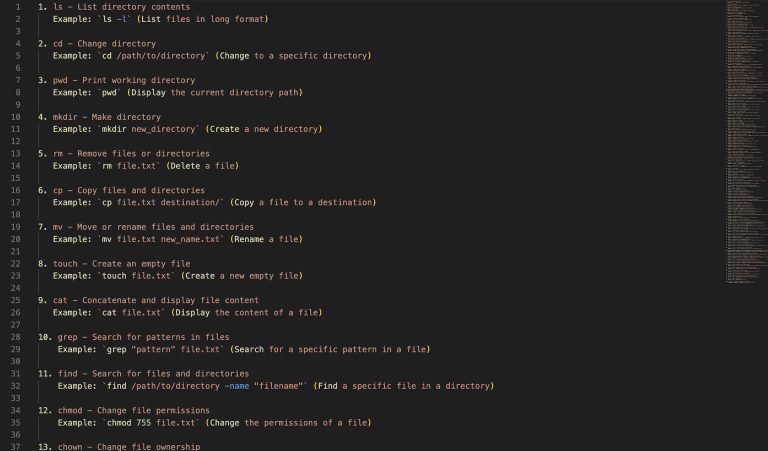
These commands are commonly used in Linux systems and cover a wide range of tasks, including file management, process management, system administration, network configuration, and more.

1. ls - List directory contents
   Example: `ls -l` (List files in long format)
2. cd - Change directory
   Example: `cd /path/to/directory` (Change to a specific directory)
3. pwd - Print working directory
   Example: `pwd` (Display the current directory path)
4. mkdir - Make directory
   Example: `mkdir new_directory` (Create a new directory)
5. rm - Remove files or directories
   Example: `rm file.txt` (Delete a file)
6. cp - Copy files and directories
   Example: `cp file.txt destination/` (Copy a file to a destination)
7. mv - Move or rename files and directories
   Example: `mv file.txt new_name.txt` (Rename a file)
8. touch - Create an empty file
   Example: `touch file.txt` (Create a new empty file)
9. cat - Concatenate and display file content
   Example: `cat file.txt` (Display the content of a file)
10. grep - Search for patterns in files
    Example: `grep "pattern" file.txt` (Search for a specific pattern in a file)
11. find - Search for files and directories
    Example: `find /path/to/directory -name "filename"` (Find a specific file in a directory)
12. chmod - Change file permissions
    Example: `chmod 755 file.txt` (Change the permissions of a file)
13. chown - Change file ownership
    Example: `chown user:group file.txt` (Change the ownership of a file)
14. tar - Archive files and directories
    Example: `tar -czvf archive.tar.gz directory/` (Create a compressed archive of a directory)
15. unzip - Extract files from a ZIP archive
    Example: `unzip archive.zip` (Extract files from a ZIP file)
16. ssh - Secure shell remote login
    Example: `ssh username@hostname` (Connect to a remote server using SSH)
17. sudo - Execute a command with superuser privileges
    Example: `sudo apt update` (Update package lists using sudo)
18. apt-get - Package handling utility for Debian-based systems
    Example: `apt-get install package_name` (Install a package using apt-get)
19. man - Display the manual page of a command
    Example: `man ls` (Display the manual for the "ls" command)
20. ps - Display running processes
    Example: `ps aux` (Display all running processes)
21. top - Display system resource usage
    Example: `top` (Monitor system resource utilization)
22. du - Estimate file and directory space usage
    Example: `du -sh directory/` (Show the total size of a directory)
23. df - Display disk space usage
    Example: `df -h` (Display disk space usage in a human-readable format)
24. ping - Send ICMP echo requests to a network host
    Example: `ping google.com` (Ping a website to check network connectivity)
25. ifconfig - Configure network interfaces
    Example: `ifconfig eth0 up` (Bring up a network interface)
26. wget - Retrieve files from the web
    Example: `wget http://example.com/file.txt` (Download a file from a URL)
27. curl - Transfer data to or from a server
    Example: `curl http://example.com` (Retrieve the contents of a web page)
28. systemctl - Control the systemd system and service manager
    Example: `systemctl start service_name` (Start a system service)
29. journalctl - Query the systemd journal
    Example: `journalctl -u service_name` (View the logs of a specific service)
30. scp - Securely copy files between hosts
    Example: `scp file.txt user@host:/path/to/destination` (Copy a file to a remote host)
31. grep -r - Search for text recursively in files and directories
    Example: `grep -r "pattern" directory/` (Search for a pattern recursively in a directory)
32. sed - Stream editor for filtering and transforming text
    Example: `sed 's/foo/bar/' file.txt` (Replace occurrences of "foo" with "bar" in a file)
33. awk - Text processing and pattern scanning language
    Example: `awk '{ print $1 }' file.txt` (Print the first column of a file)
34. ssh-keygen - Generate SSH key pairs
    Example: `ssh-keygen -t rsa` (Generate an RSA SSH key pair)
35. systemctl status - Display the status of a systemd unit
    Example: `systemctl status service_name` (Check the status of a service)
36. diff - Compare files line by line
    Example: `diff file1.txt file2.txt` (Compare two files and show the differences)
37. head - Output the first part of files
    Example: `head -n 10 file.txt` (Display the first 10 lines of a file)
38. tail - Output the last part of files
    Example: `tail -n 5 file.txt` (Display the last 5 lines of a file)
39. tar -xvf - Extract files from a tar archive
    Example: `tar -xvf archive.tar` (Extract files from a tar archive)
40. history - Display the command history
    Example: `history` (Show a list of previously executed commands)
41. ln - Create links between files
    Example: `ln -s file.txt link.txt` (Create a symbolic link to a file)
42. mount - Mount a file system
    Example: `mount /dev/sda1 /mnt` (Mount a partition to a mount point)
43. umount - Unmount a file system
    Example: `umount /mnt` (Unmount a mounted file system)
44. chmod +x - Make a file executable
    Example: `chmod +x script.sh` (Make a script executable)
45. grep -v - Invert match and exclude lines matching a pattern
    Example: `grep -v "pattern" file.txt` (Print lines not containing the pattern)
46. kill - Terminate a process
    Example: `kill process_id` (Terminate a process by its ID)
47. systemctl enable - Enable a systemd unit to start on boot
    Example: `systemctl enable service_name` (Enable a service to start automatically)
48. chown -R - Change ownership recursively
    Example: `chown -R user:group directory/` (Change the ownership of a directory and its contents)
49. useradd - Create a user account
    Example: `useradd username` (Create a new user account)
50. usermod - Modify user account properties
    Example: `usermod -aG groupname username` (Add a user to a group)
51. passwd - Change user password
    Example: `passwd username` (Change the password for a user)
52. systemctl restart - Restart a systemd unit
    Example: `systemctl restart service_name` (Restart a service)
53. sort - Sort lines of text files
    Example: `sort file.txt` (Sort the lines of a file alphabetically)
54. which - Locate the executable of a command
    Example: `which command` (Find the location of a command's executable)
55. crontab - Schedule periodic tasks
    Example: `crontab -e` (Edit the user's crontab file)
56. ssh-key-copy - Copy SSH public key to a remote server
    Example: `ssh-copy-id user@host` (Copy SSH public key to a remote server)
57. ln -s - Create a symbolic link
    Example: `ln -s /path/to/file link_name` (Create a symbolic link to a file)
58. history -c - Clear command history
    Example: `history -c` (Clear the command history)
59. alias - Create an alias for a command
    Example: `alias l='ls -l'` (Create an alias "l" for the "ls -l" command)
60. echo - Print a message
    Example: `echo "Hello, World!"` (Print the message "Hello, World!")
61. systemctl stop - Stop a systemd unit
    Example: `systemctl stop service_name` (Stop a service)
62. gzip - Compress files
    Example: `gzip file.txt` (Compress a file using gzip)
63. gunzip - Decompress files compressed with gzip
    Example: `gunzip file.txt.gz` (Decompress a file compressed with gzip)
64. tar -cvf - Create a tar archive
    Example: `tar -cvf archive.tar directory/` (Create a tar archive of a directory)
65. tar -tvf - View the contents of a tar archive
    Example: `tar -tvf archive.tar` (List the files in a tar archive)
66. df -h - Display disk space usage in a human-readable format
    Example: `df -h` (Show disk space usage in a human-readable format)
67. df -i - Display inode usage
    Example: `df -i` (Display inode usage)
68. ifconfig -a - Display all network interfaces
    Example: `ifconfig -a` (Display all network interfaces)
69. netstat -tuln - Display listening ports
    Example: `netstat -tuln` (Show listening ports)
70. systemctl reload - Reload a systemd unit configuration
    Example: `systemctl reload service_name` (Reload a service configuration)
71. systemctl disable - Disable a systemd unit from starting on boot
    Example: `systemctl disable service_name` (Disable a service from starting automatically)
72. free -m - Display memory usage in megabytes
    Example: `free -m` (Show memory usage in megabytes)
73. ps -ef - Display a snapshot of the current processes
    Example: `ps -ef` (Display all running processes)
74. ssh-keygen -p - Change passphrase of an SSH private key
    Example: `ssh-keygen -p` (Change the passphrase of an SSH private key)
75. history -w - Write the current history to the history file
    Example: `history -w` (Write the current history to the history file)
76. find -type f -name - Search for files with a specific name
    Example: `find /path/to/directory -type f -name "filename"` (Search for a file by name)
77. locate - Find files by name
    Example: `locate file.txt` (Find the path of a file by name)
78. systemctl list-units - List all systemd units
    Example: `systemctl list-units` (List all active systemd units)
79. cat file1.txt file2.txt - Concatenate multiple files and display the content
    Example: `cat file1.txt file2.txt` (Concatenate the content of two files)
80. grep -i - Perform a case-insensitive pattern search
    Example: `grep -i "pattern" file.txt` (Search for a pattern case-insensitively)
81. chmod -R - Change permissions recursively
    Example: `chmod -R 755 directory/` (Change the permissions of a directory and its contents recursively)
82. wc -l - Count the number of lines in a file
    Example: `wc -l file.txt` (Count the number of lines in a file)
83. tail -f - Output the last part of a file and follow its changes
    Example: `tail -f file.txt` (Display the last part of a file and follow new lines as they are appended)
84. chgrp - Change group ownership
    Example: `chgrp groupname file.txt` (Change the group ownership of a file)
85. gzip -d - Decompress files compressed with gzip
    Example: `gzip -d file.txt.gz` (Decompress a file compressed with gzip)
86. tar -xvf - Extract files from a tar archive
    Example: `tar -xvf archive.tar` (Extract files from a tar archive)
87. awk '{print $NF}' - Print the last field of each line
    Example: `awk '{print $NF}' file.txt` (Print the last field of each line in a file)
88. sort -r - Sort lines of text files in reverse order
    Example: `sort -r file.txt` (Sort the lines of a file in reverse order)
89. sed 's/foo/bar/g' - Replace all occurrences of a string with another string
    Example: `sed 's/foo/bar/g' file.txt` (Replace all occurrences of "foo" with "bar" in a file)
90. tail -n +2 - Display all lines of a file except the first line
    Example: `tail -n +2 file.txt` (Display all lines of a file except the first line)
91. tee - Read from standard input and write to standard output and files
    Example: `command | tee file.txt` (Execute a command and write its output to a file)
92. df -h -T - Display disk space usage with file system type
    Example: `df -h -T` (Show disk space usage with file system type)
93. ps aux | grep process_name - Display information about a specific process
    Example: `ps aux | grep sshd` (Display information about the SSH daemon process)
94. mount -t - Mount a specific file system type
    Example: `mount -t ext4 /dev/sda1 /mnt` (Mount an ext4 file system to a mount point)
95. df -h - Display disk space usage in a human-readable format
    Example: `df -h` (Show disk space usage in a human-readable format)
96. tar -xvf - Extract files from a tar archive
    Example: `tar -xvf archive.tar` (Extract files from a tar archive)
97. tar -tvf - View the contents of a tar archive
    Example: `tar -tvf archive.tar` (List the files in a tar archive)
98. df -h - Display disk space usage in a human-readable format
    Example: `df -h` (Show disk space usage in a human-readable format)
99. df -i - Display inode usage
    Example: `df -i` (Display inode usage)
100. ifconfig -a - Display all network interfaces
     Example: `ifconfig -a` (Display all network interfaces)

NASA Awards Millions In STEM Research Grants

0

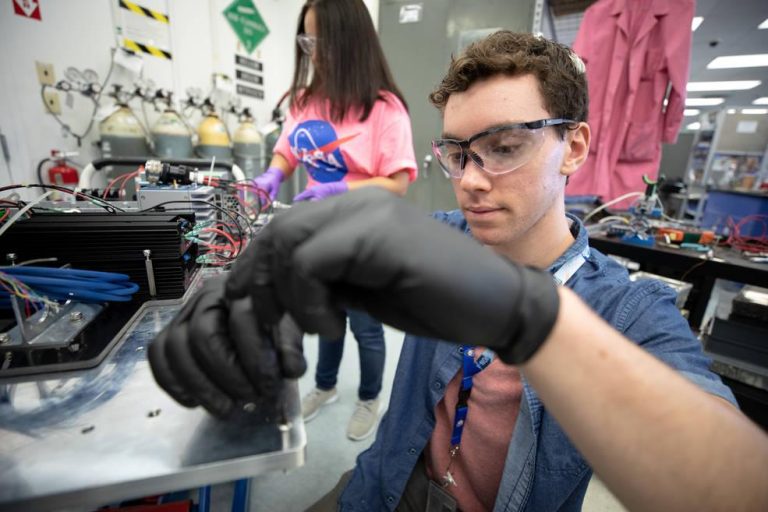
NASA announced the recipients of its annual STEM grants, providing nearly $4 million in total funding, to support scientific and technical research that aligns with the agency’s strategic research and technology development priorities. By providing resources to STEM research, NASA helps create a stronger and more vibrant scientific community to drive innovation and push the boundaries of what is possible in space exploration.

“We’re excited to announce the awardees of this year’s grants that will help the agency answer some difficult questions regarding research capabilities,” said Kathy Loftin, manager for NASA’s Established Program to Stimulate Competitive Research (EPSCoR) project. “These grants are a vital component of NASA’s science, technology, engineering, and math strategy to foster collaboration and stimulate growth in research and development in underserved areas across the country.”

NASA STEM provides a unique opportunity for researchers to solve science and exploration issues impacting its programs and missions. Forty research projects from 21 universities and organizations were selected based on their merit and alignment with agency missions. Each grantee will focus on a range of agency research needs, including repair, manufacturing, and fabrication technology for deep space missions; methods for detecting and eliminating bacteria in spacecraft; and studies on lunar and Martian regolith, including potential toxicity, suitability as soil for crops, and its ability to be used as construction material.

The grantees include Wichita State University in Kansas, which will receive funding to develop a compact, more efficient thermal management system for electric motors for vertical takeoff and landing vehicles. With the growth of electric, turbo-electric, and hybrid electric propulsion systems, development of smaller, more efficient, and easily manufactured cooling systems for electric motors could have significant applications for the automotive, aviation, and space industries.

With NASA returning to the Moon through Artemis, new technologies are necessary to help achieve the goal of a long-term lunar exploration. With efforts like NASA’s Lunar Surface Innovation Initiative, focusing on in-situ resource utilization of lunar materials, research from Louisiana State University will build upon in-space manufacturing advancements by studying the physical, chemical, and structural properties of alloys created from simulated regolith, including melting range, heat capacity, viscosity, and density.

To help NASA achieve its mission of unlocking the mysteries of the universe for the benefit of all, a research team from West Virginia University will develop a new concept in localization and guidance, navigation, and control algorithms for exploring Earth-like planets such as Venus. The team’s orbiter-assisted balloon navigation will use a variable-altitude balloon and orbiter to provide accurate geotagging and enable autonomous exploration of Venus, generating critical data to help understand Earth’s own formation and habitability change over time.

The remaining grantees are:

  • Brown University, Providence, Rhode Island
  • College of Charleston, Charleston, South Carolina
  • Iowa State University, Ames, Iowa
  • Montana State University, Bozeman, Montana
  • Nevada System of Higher Education, Reno, Nevada
  • New Mexico State University, Las Cruces, New Mexico
  • Oklahoma State University, Stillwater, Oklahoma
  • South Dakota School of Mines & Technology, Rapid City, South Dakota
  • University of Alaska, Fairbanks, Alaska
  • University of Alabama, Huntsville, Alabama
  • University of Arkansas, Little Rock, Arkansas
  • University of Delaware, Newark, Delaware
  • University of Idaho, Moscow, Idaho
  • University of Kentucky, Lexington, Kentucky
  • University of Mississippi, University, Mississippi
  • University of Nebraska, Omaha, Nebraska
  • University of Puerto Rico, San Juan, Puerto Rico
  • University of Wyoming, Laramie, Wyoming

The grants are funded through NASA’s EPSCoR’s R3 (Rapid Response Research) project. The EPSCoR project is directed at jurisdictions that have not participated evenly in competitive aerospace and aerospace-related research activities. For the EPSCoR R3 grants, universities and schools across the country submitted proposals, with each jurisdiction eligible to submit a total of six proposals for competitive agreement awards of up to $100,000 each. Twenty-five states, the Commonwealth of Puerto Rico, the U.S. Virgin Islands, and Guam currently participate in the program.

NASA’s Office of STEM Engagement, in collaboration with several of the agency’s mission directorate programs and offices, established these grants to support research and development in areas critical to NASA’s mission and to contribute to the overall research infrastructure, science, and technology capabilities of higher education and economic development in the jurisdictions receiving funding.

For more information on the program and the recipients of this year’s awards, please visit:

www.nasa.gov/stem/epscor/home/index.html

-end-

Image Credits: NASA/Frank Michaux